Independent guides & free tools. Thumb Maker may earn a commission from affiliate links. Not the official Pikzels website.
INDEPENDENT GUIDES FOR YOUTUBE CREATORS
AI YouTube thumbnails.
A smarter starting point.
Explore Pikzels’ thumbnail workflow, understand plan costs, and check coupon claims before choosing a subscription.
Thumb Maker is an independent affiliate website, not the official Pikzels website. Affiliate links may earn Thumb Maker a commission.
A little visual inspiration.


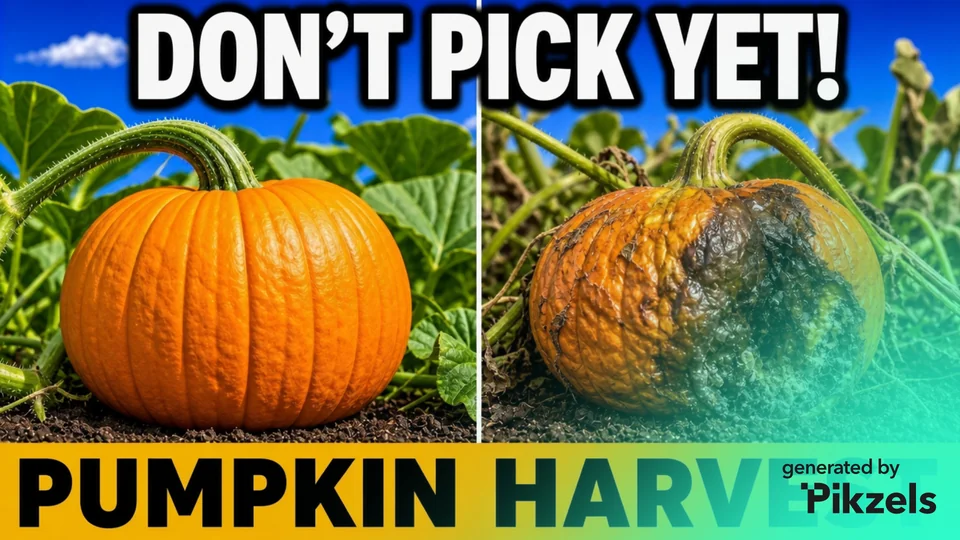
Pikzels-branded examples supplied to Thumb Maker. Inspiration, not a performance test.
Before you subscribe
Free tools for your next thumbnail.
Thumbnail prompt builder
Turn a video topic into a main prompt, simpler alternative and edit brief. Copy or download the text locally.
Pikzels credit calculator
Budget a year of thumbnail concepts, edits, analyses and titles. Compare the estimate with the published annual plan allowances.
Thumbnail checker & preview
Inspect small-screen readability, dimensions and upload limits. The selected image stays in your browser.
Original Thumb Maker tools, free to use without an account. They support planning and review; they do not predict views or click-through rate.
From an idea to a visual direction
Make the idea visible.
Compare a focal point, a clear contrast and a short headline. Then shape a brief around your own video.



See the provider’s current thumbnail features and plans, or prepare an idea with the free prompt builder.
Examples supplied to Thumb Maker, displayed with their Pikzels marks. They are separate from the free Thumb Maker tools and are not a test of output quality or click-through rate.
Affiliate link: the button opens Pikzels. Thumb Maker is an independent publisher and may earn a commission if you subscribe. The referral is not a coupon.
MAKE AN INFORMED CHOICE
Start with your biggest question.
01 / UNDERSTAND THE TOOL
Compare AI thumbnail tools
Compare the published workflows in Pikzels, Canva, Adobe Express, vidIQ and YouTube Ask Studio, then use original briefs to plan your own thumbnail.
02 / PLAN THE BUDGET
What will it cost?
See annual payments separately from monthly equivalents, understand credit costs and work through a sample thumbnail budget.
03 / CHECK THE OFFER
Is there a coupon?
See the status of older discount codes and learn what to check before treating any code as a working offer.
When is Pikzels worth exploring?
Pikzels is a useful starting point to investigate if you want to generate and refine thumbnail ideas with AI. Start with the feature guide to see whether its published workflow matches your channel.
Read the Pikzels vs Canva comparison for generation and manual editing, or compare Pikzels and vidIQ when starting with footage or a video link. AI output still needs a human check for accuracy, clarity and fit with the video.
Pricing in the guide is quoted in US dollars. Check your checkout currency, taxes and billing terms before paying.
READY TO TAKE A LOOK?
See what Pikzels offers.
Review the provider’s current plans and product details. Choose a subscription only if the workflow and budget fit.
Affiliate link: Thumb Maker may earn a commission if you subscribe. Opens Pikzels. The referral is not a coupon.